AN UNOFFICIAL, STREAMLINED MACOS APP FOR SELF-HOSTED BOOKMARKS POWERED BY YOUR LINKDING SERVER
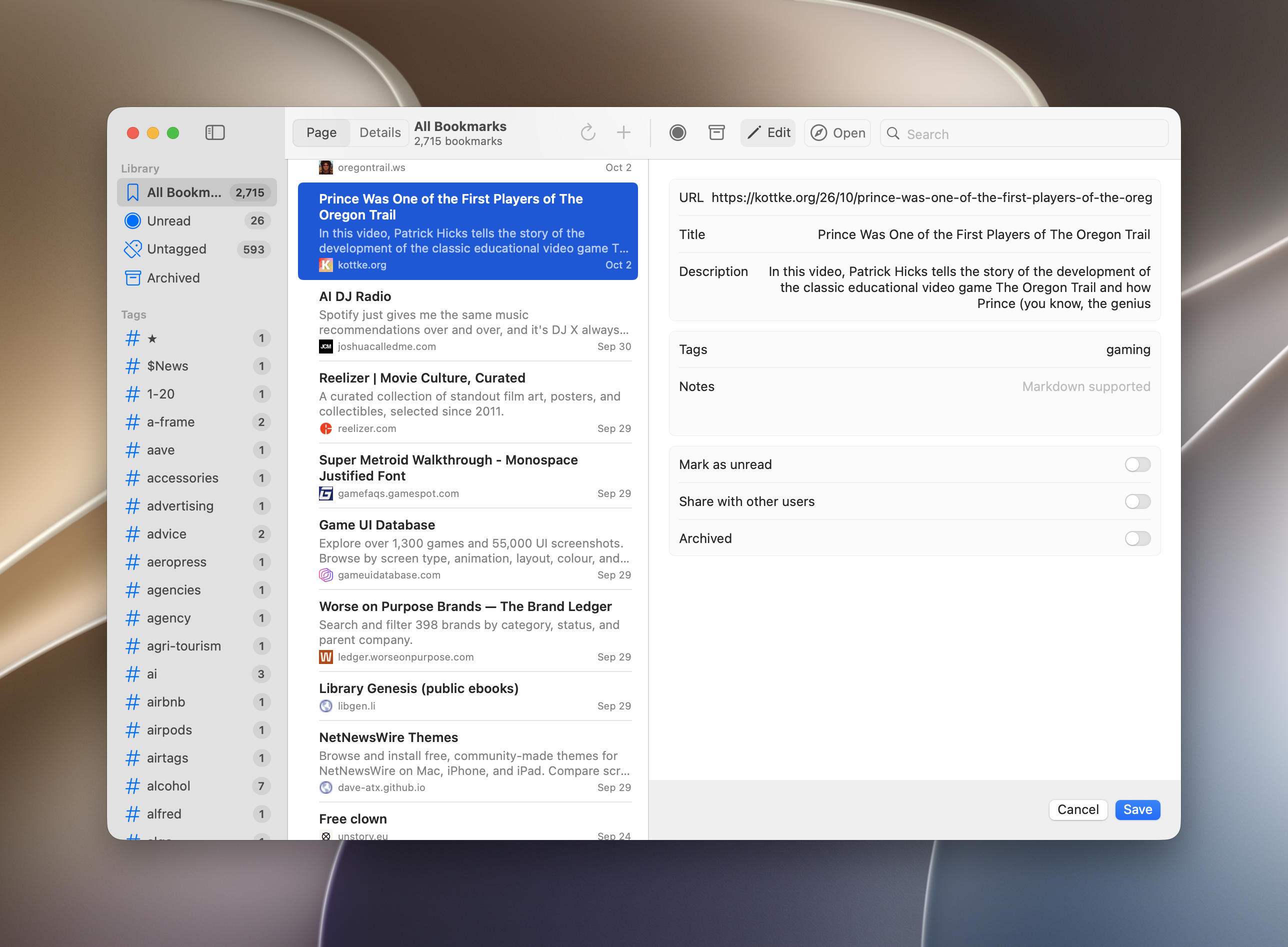
I recently moved all my old Pinboard bookmarks to a self-hosted instance of LinkDing, and struggled to find a good macOS app that worked with all the mac-assed standards we’re used to. So, got to work on a simple but effective macOS app, modeled after the design ethos of one of my favorite apps (NetNewsWire), which reflects the user interface guidelines Apple sets out anyway for coherently designed software.
All straightforward, simple, functional.
A heads up: Claude was used to partially build components of this, but was directed and QA checked by me. As many who are building these kinds of things, I don’t intend to offer this as something downloadable for others to use as-is, but if you’re interested in the code, I can certainly share this as a guiding principle for your own LinkDing app development.
Guide
› Download the User Guide (MD Format)
Version Logs
Version 0.7 - November 10, 2026
New
- About window shows the version and credits
Fixed
- Installing no longer ends with “error -600”: the build script waits for the old copy to quit before opening the new one.
Other
- Version number set to 0.7.
- Added a .gitignore in preparation for publishing the source.
Version 0.6
Changed
- The app is now called LinkyDink (Dock, menu bar, window title, Finder). Installing removes the old “Linkding” copy. Settings, saved token and permissions carry over.
Fixed
- Tags in the sidebar can now be selected. Previously clicks on a tag were ignored.
- The sidebar shows only tags that are on at least one bookmark, each with a count. Tags removed from every bookmark no longer appear. If the tag you’re viewing disappears, the list returns to All Bookmarks.
Version 0.5
New
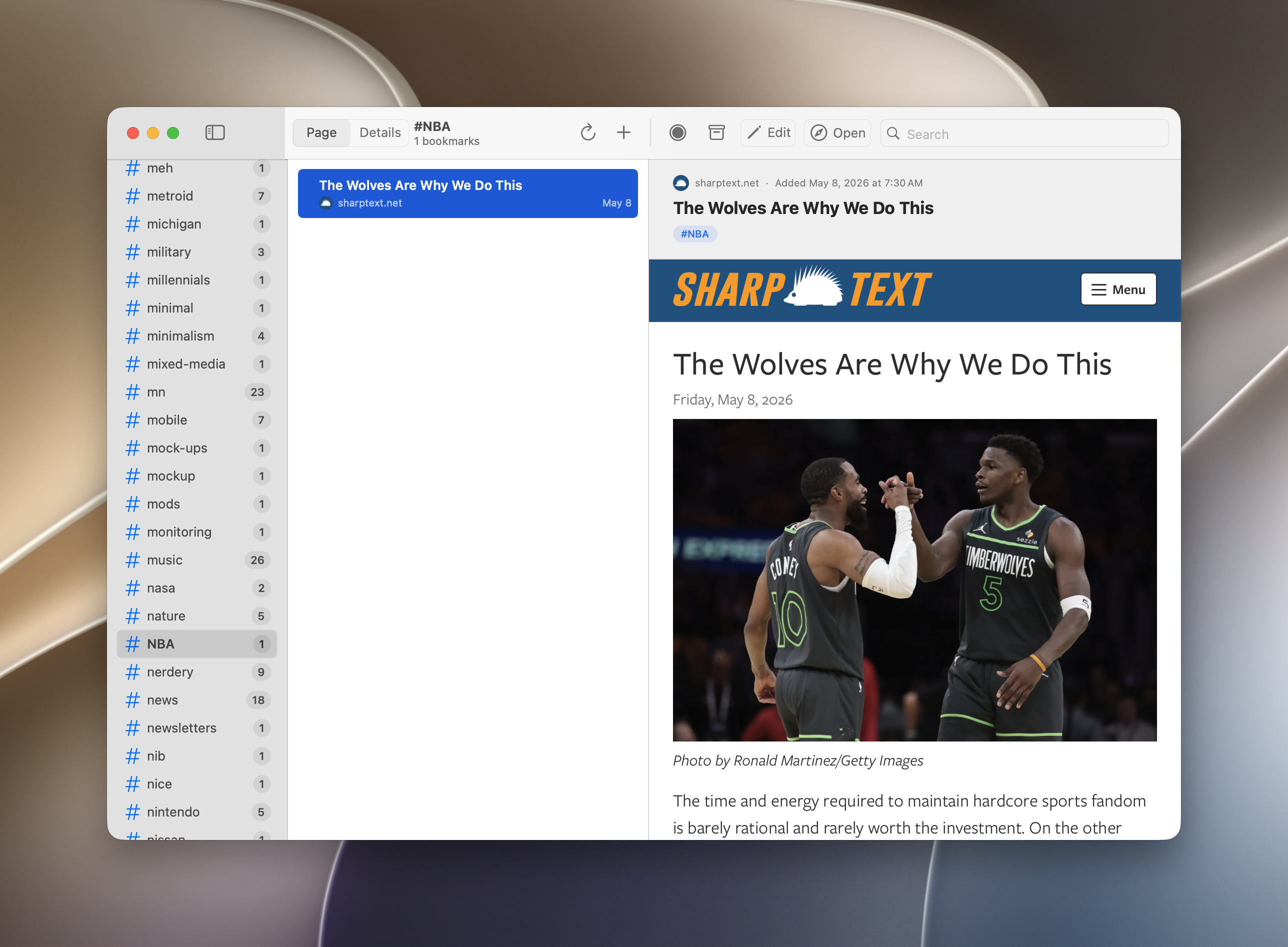
- Third pane redesigned: a Page / Details toggle shows either the live page under a compact header, or the bookmark’s details.
- Edit in place: the toolbar’s Edit button (pencil icon, no ellipsis) turns the third pane into the editor.
- Open button with a choice in Settings › Opening Bookmarks: default browser or LinkyDink’s built-in browser window.
- Favicons beside each website name in the list and menu bar.
- Counts for All, Unread, Untagged and Archived in the sidebar.
- Bookmark menu with shortcuts: Open ⌘O, Edit ⌘E, Mark Read/Unread ⇧⌘U, Archive ⌃⌘A, Copy URL ⌥⌘C, Delete ⌘⌫, Refresh ⌘R.
- App icon: a white bookmark with a purple dot on a purple-to-gray rounded square, at every macOS size.
- Settings reorganized into Server, Opening Bookmarks, Quick Add and Account.
- Builds can be signed with a stable local certificate, so keychain and firewall permissions survive rebuilds.
Fixed
- Menu bar search shows up to 10 results instead of one, plus Show All Results in Window.
- Toolbar sections now line up with the column dividers.
Open Source Code
I will share this once I’ve wrapped up the development of this to a place where I’m confident in its build integrity.
Additional Screenshots
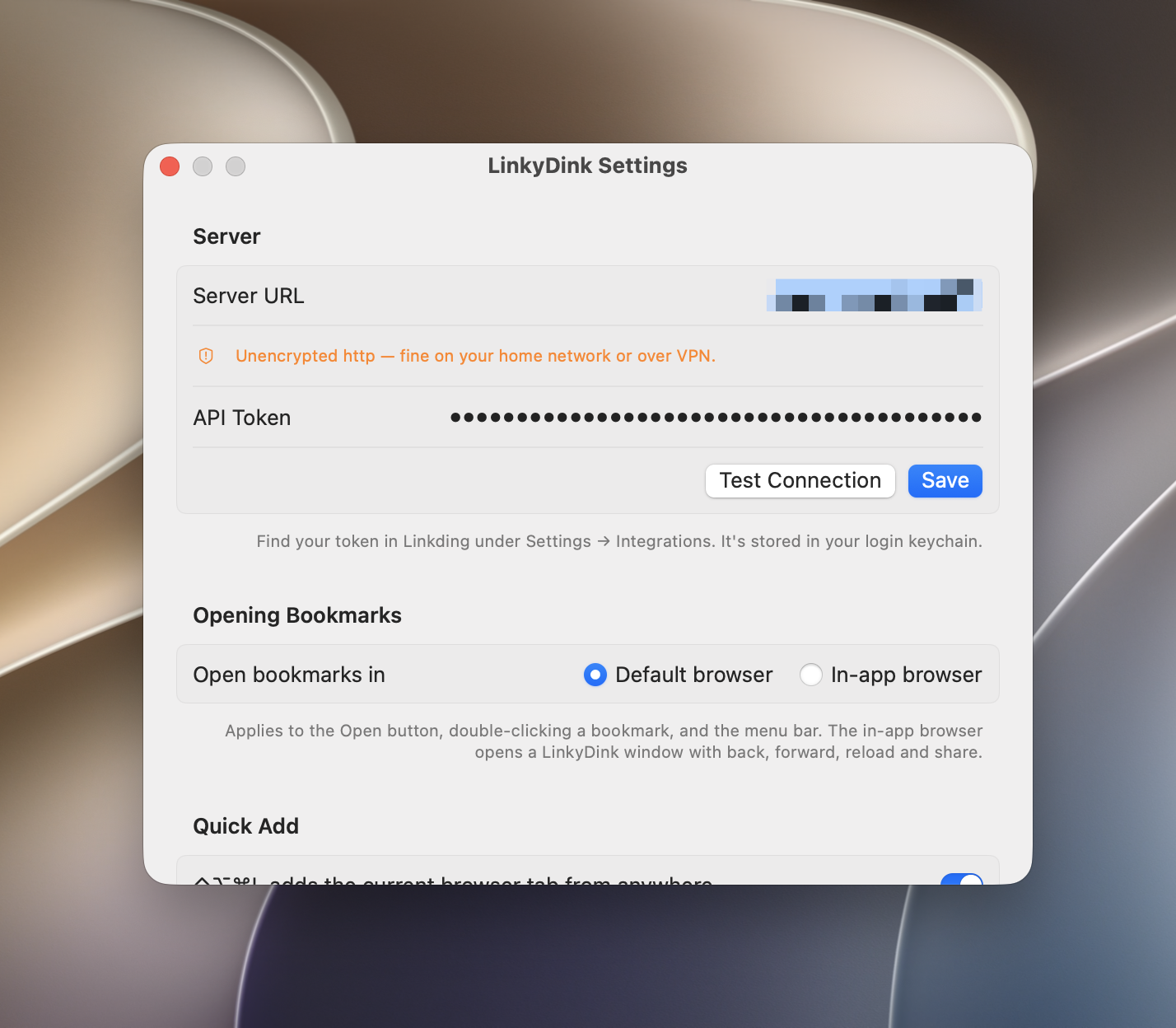 (LinkyDink settings window, which is scrollable to a few more options — will work on making it multi-pane in the future, specifically for modifying hotkeys)
 (LinkyDink menu bar drop-down, which allows for searching with dynamic real-time results selector below, plus easy access to a few other actions, including the settings pane)